
Dynamic Table Widget
A searchable list picker for catalog items in the Employee Center. The data comes from any source you like: a table, a REST API or a database behind a MID server.
What It Does
Reference and select box variables only offer what is already in a ServiceNow table. Often the user should pick from data that lives somewhere else, or from a list that has to be computed first.
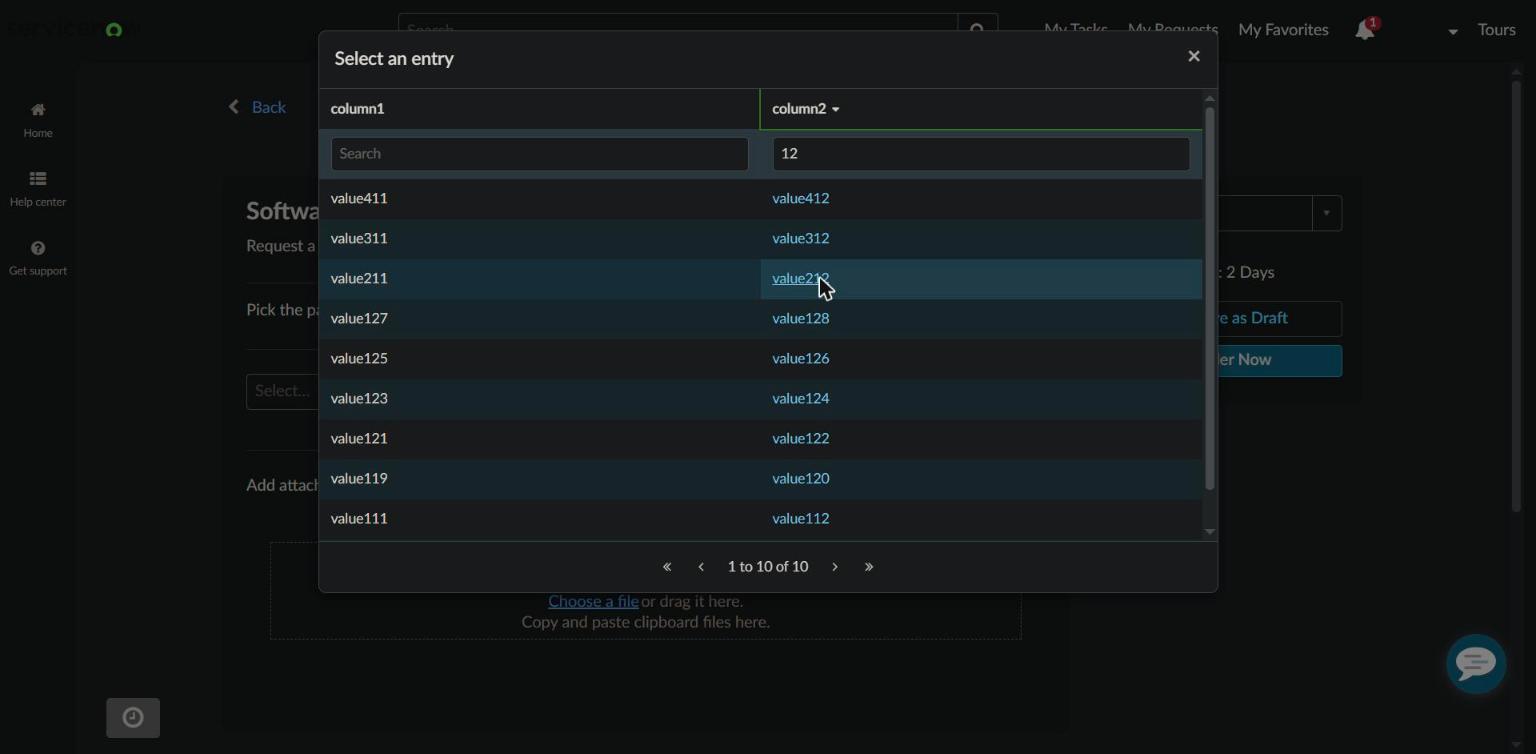
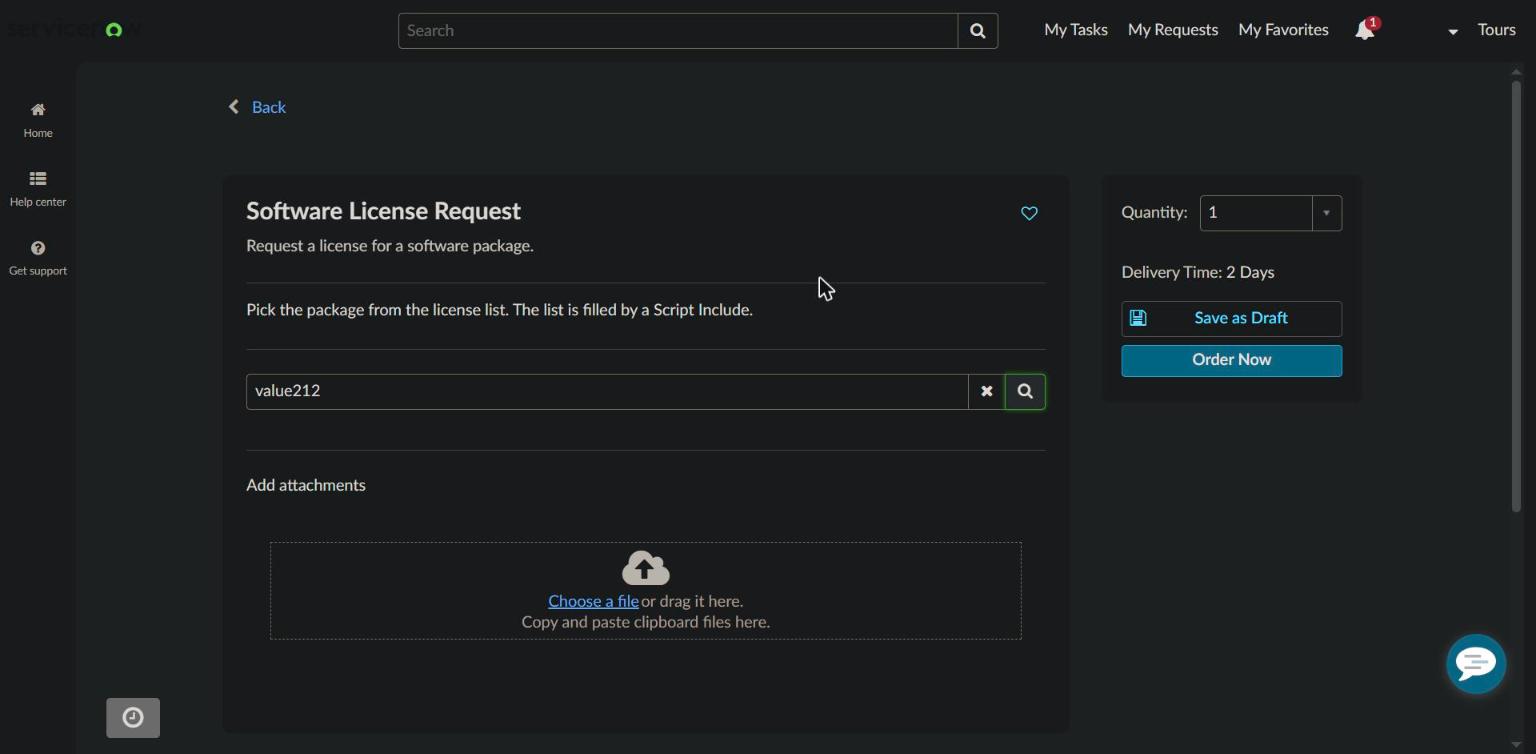
The Dynamic Table Widget is a Custom variable for catalog items. It shows a field; a click opens a popup that looks like a ServiceNow list. The user searches, sorts and pages through the rows and picks one. The value of the configured column is written into the variable and submitted with the request.
- Any data source: the rows come from a Script Include you choose per variable. Query tables, call a REST API or reach an on-premise database via a MID server.
- Configured, not coded: the widget never changes. Each variable names its Script Include in a reference field, optional settings go into the variable attributes.
- List feeling: a search field per column, sorting by column header, alternating rows and paging. Large result sets (thousands of rows) stay easy to browse.
- Dependent lists: with
param_varthe value of another variable is passed to the Script Include, for example the requested-for user. - Safe by design: the browser only sends the variable's sys_id. Which Script Include and method run is read on the server, so users cannot call anything an admin has not configured.
- Keyboard friendly: open with
Enter, pick a row withEnter, clear withDelete.
Free to use. You are welcome to use and adapt this tool in your own projects. It is shared as is, without warranty or support, so please try it on a sub-production instance first. Using it is at your own risk.
How It Works
The widget stays the same. Only the Script Include decides where the data comes from.
The Script Include has one method, getRows(param) by default. It returns a JSON string with the rows and names the column whose value goes into the variable. Everything else, the columns, labels and order, follows from the data.
{
  "error": false,
  "selectColumn": "license_id",          // value written into the variable
  "displayColumn": "name",               // optional: text shown in the field
  "columns": [ { "name": "name", "label": "Software" },
               { "name": "license_id", "label": "License" } ],
  "rows": [ { "name": "Visio", "license_id": "LIC-0042" }, ... ]
}
A provider that reads the rows from a REST API looks like this. Add setMIDServer() to reach a system inside the company network:
var LicenseProvider = Class.create();
LicenseProvider.prototype = {
    initialize: function() {},

    getRows: function(param) {
        var result = { error: false, selectColumn: 'license_id', displayColumn: 'name', rows: [] };
        try {
            var rm = new sn_ws.RESTMessageV2();
            rm.setHttpMethod('get');
            rm.setEndpoint('https://licenses.example.com/api/v1/licenses');
            rm.setQueryParameter('user', param);      // value of param_var, if set
            // rm.setMIDServer('my_mid_server');      // for systems inside the network
            var resp = rm.execute();
            if (resp.getStatusCode() != 200) throw 'HTTP ' + resp.getStatusCode();

            JSON.parse(resp.getBody()).items.forEach(function(item) {
                result.rows.push({ name: item.product, license_id: item.id });
            });
        } catch (e) {
            result.error = true;
            result.errorMsg = String(e);
        }
        return JSON.stringify(result);
    },

    type: 'LicenseProvider'
};
A Closer Look
Click a screenshot to open it at full size. The demo data comes from the included MyDataProvider.
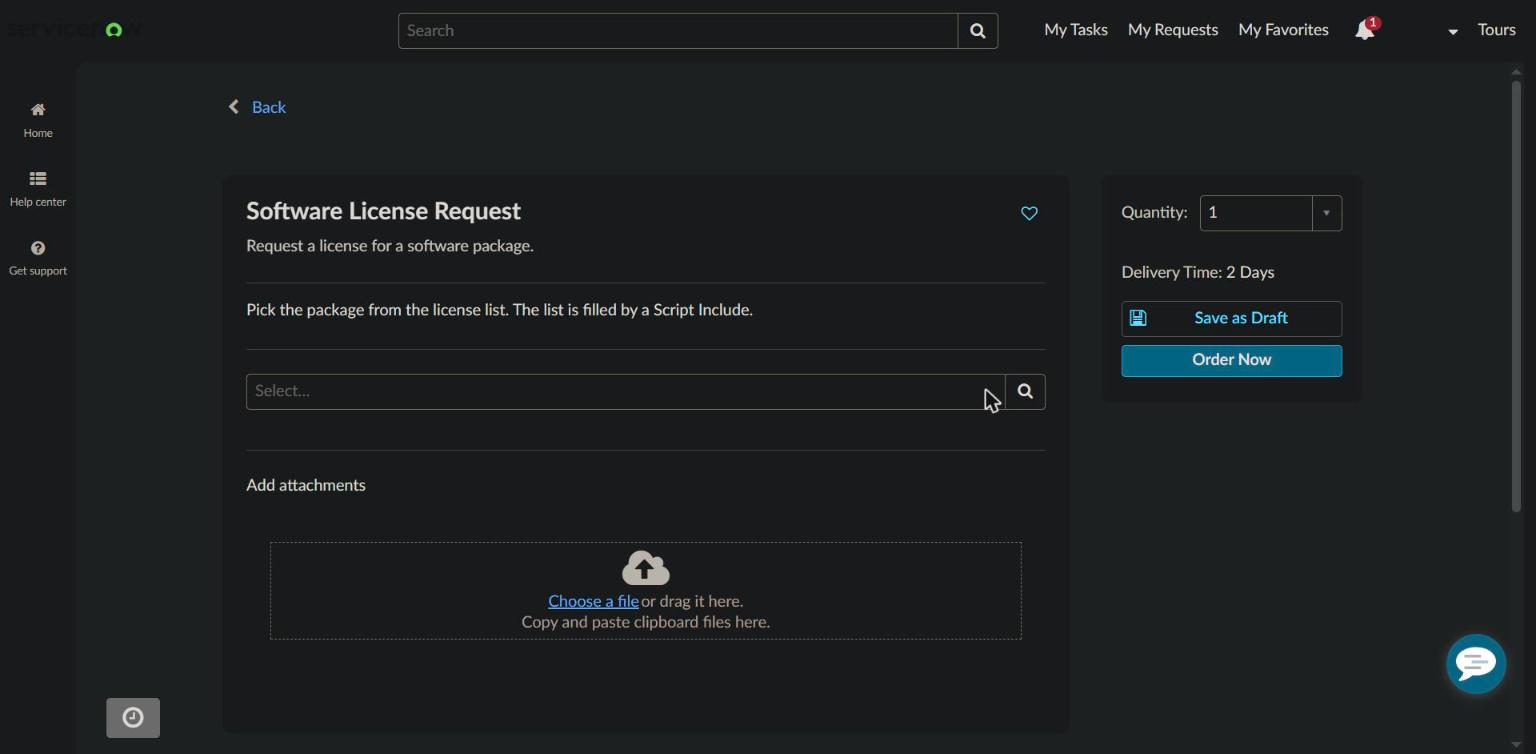
Enter opens the list.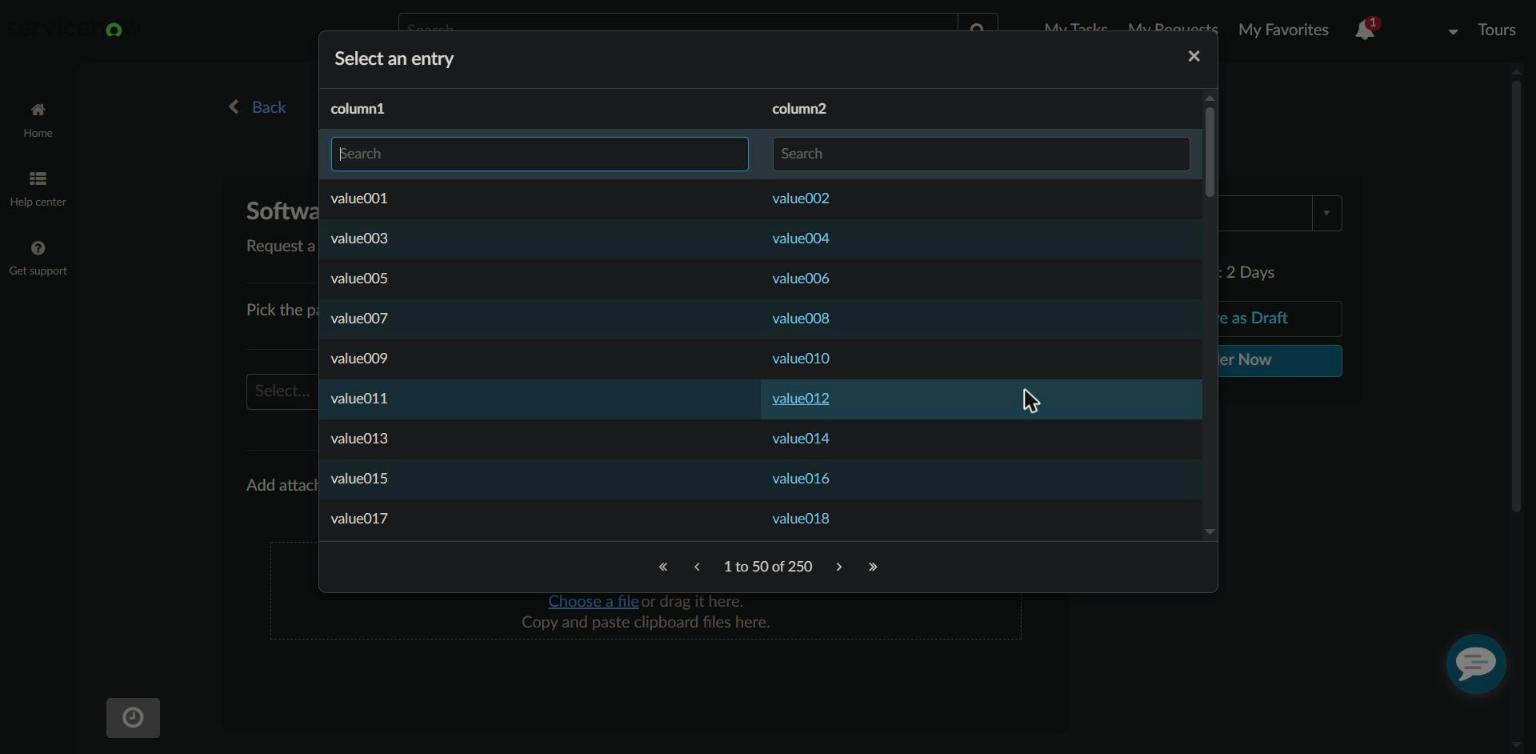
Getting Started
- Download the update set XML below.
- In your instance, open System Update Sets > Retrieved Update Sets and choose Import Update Set from XML.
- Open the imported update set "ESC Dynamic Table Widget", preview it and commit it. It adds the widget
esc-dynamic-table, the demo Script IncludeMyDataProviderand the reference field Script Include on the variable table. - Put the field Script Include on the variable form (Configure > Form Layout).
- On a catalog item, add a variable of type Custom or Custom with Label, set Widget to
esc-dynamic-tableand Script Include toMyDataProvider. - Open the item in the Employee Center. Then copy
MyDataProviderand fill it with your own data.
Download Dynamic Table Widget
One update set with four records (widget, demo Script Include, reference field and its label), global scope, about 40 KB.
Download Update Set (XML)Service Portal / Employee Center. Optional settings in the variable attributes: method, param_var, provider. Free to use, at your own risk. Please install it on a sub-production instance first.
Questions about this tool? Contact Markus.