
Update Set Exporter
Export many update sets in one go, in any state. One XML per update set, or all of them in one ZIP.
What It Does
The standard "Export to XML" works on one completed update set at a time. Before a release, a handover or a backup you often need many of them, and some are still in progress.
Update Set Exporter is a single page for exactly that. Pick any number of update sets, including the ones still in progress, and export them in one run: one XML file per update set, the same format as the standard export, or everything packed into one ZIP.
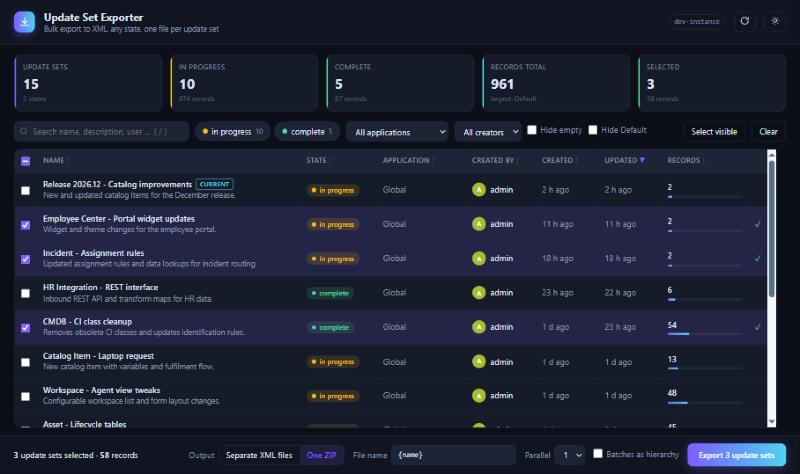
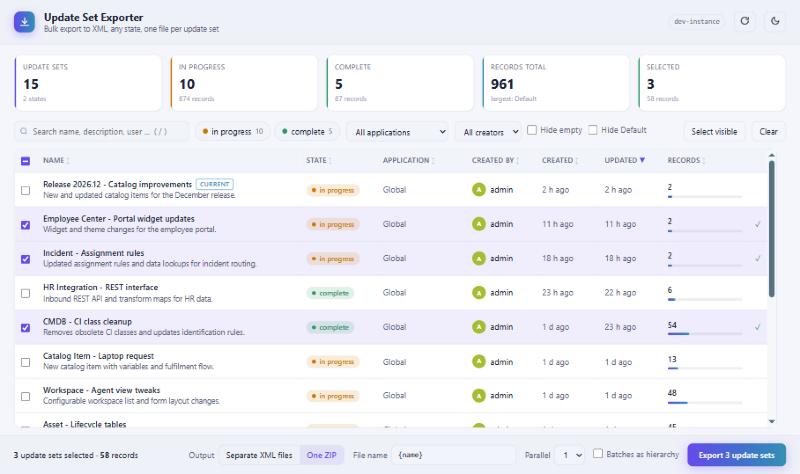
- Full overview of all update sets with state, application, creator, dates and record count.
- Find fast: search, state chips, application and creator filters, sorting, Shift+click range selection.
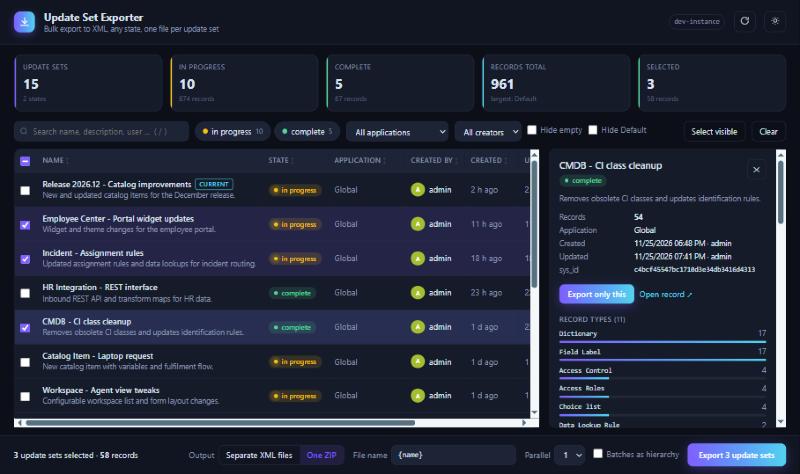
- Details panel with record types and the latest changes of an update set.
- Your choice of output: separate XML files or one ZIP, with a file name pattern (
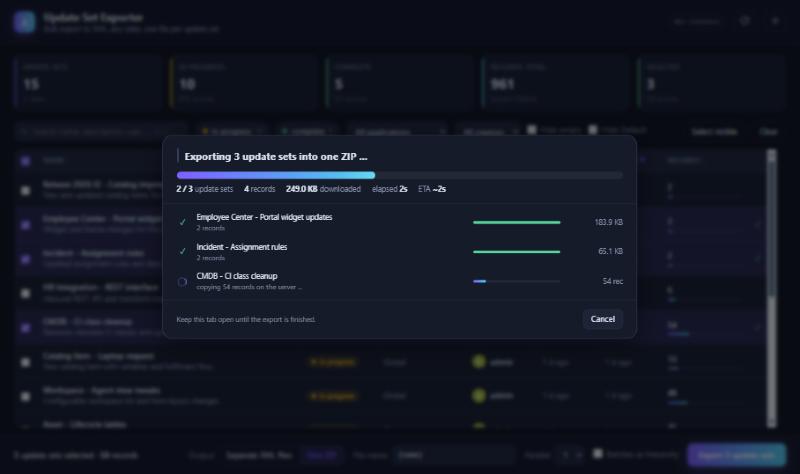
{name},{state},{app},{date},{id}). - Live progress with records, bytes, elapsed time and ETA, up to four parallel downloads, retry for failed exports.
- Batch update sets: export a parent together with its children as one hierarchy.
- Dark and light theme and keyboard shortcuts.
Under the hood it uses the same platform API as the standard export. Each update set is copied to a temporary retrieved update set, downloaded and removed again right away, so nothing is left behind. No plugin and no scoped app: one UI page and one script include in the global scope, available to admins only.
Free to use. You are welcome to use and adapt this tool in your own projects. It is shared as is, without warranty or support, so please try it on a sub-production instance first. Using it is at your own risk.
See It in Action
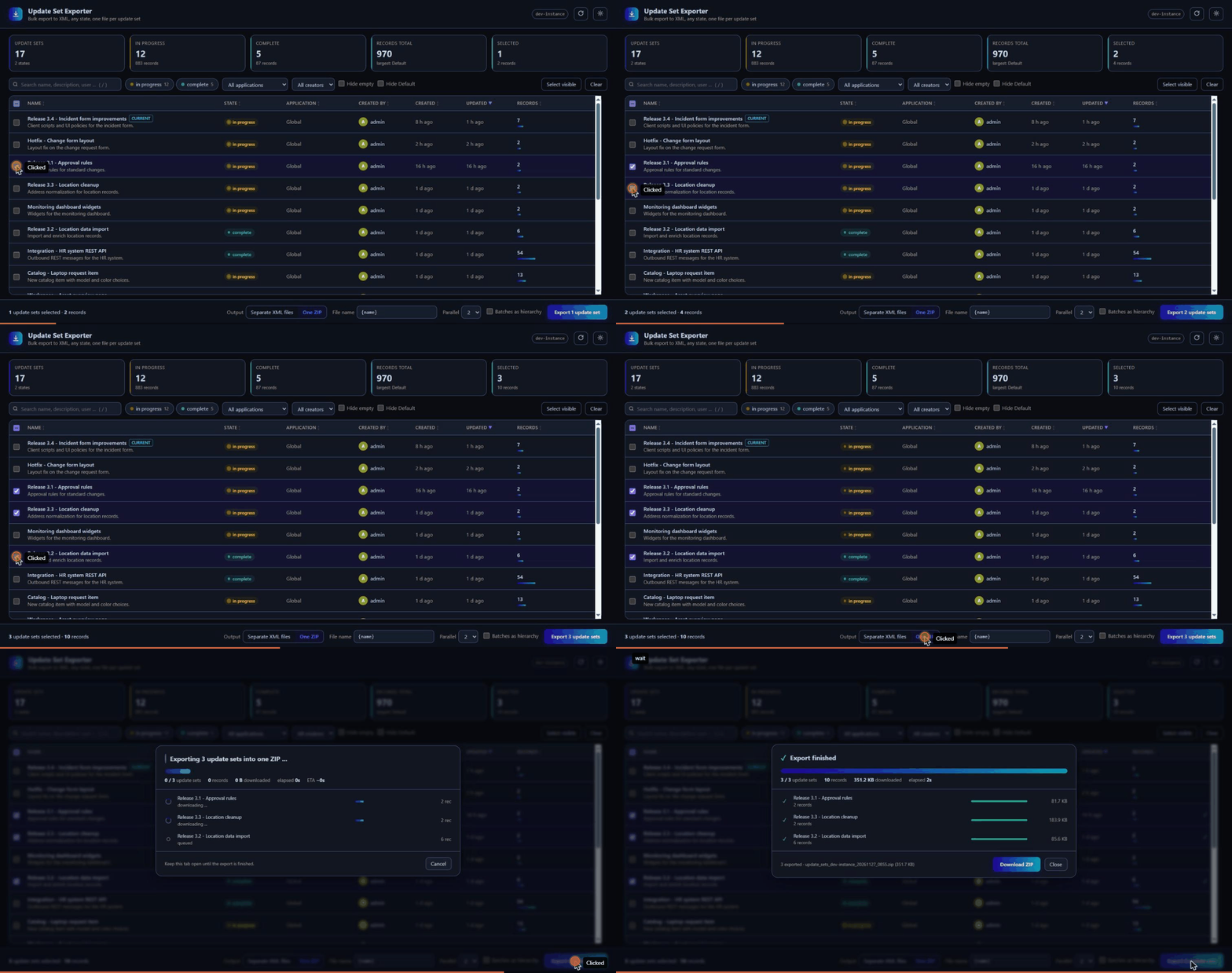
Select three update sets and export them into one ZIP.
A Closer Look
Click a screenshot to open it at full size.
T key.Getting Started
- Download the update set XML below.
- In your instance, open System Update Sets > Retrieved Update Sets and choose Import Update Set from XML.
- Open the imported update set "Update Set Exporter", preview it and commit it.
- Open
update_set_exporter.doas an admin, or add a module that points to it.
Download Update Set Exporter
One update set with two records (UI page and script include), global scope, about 80 KB.
Download Update Set (XML)Free to use, at your own risk. Please install it on a sub-production instance first.
Questions about this tool? Contact Markus.